
How to use a gig guide app (and actually keep the habit)

Step-by-step: find listings, save upcoming shows, log after the night, and turn a gig guide into a lasting concert diary with Radar.

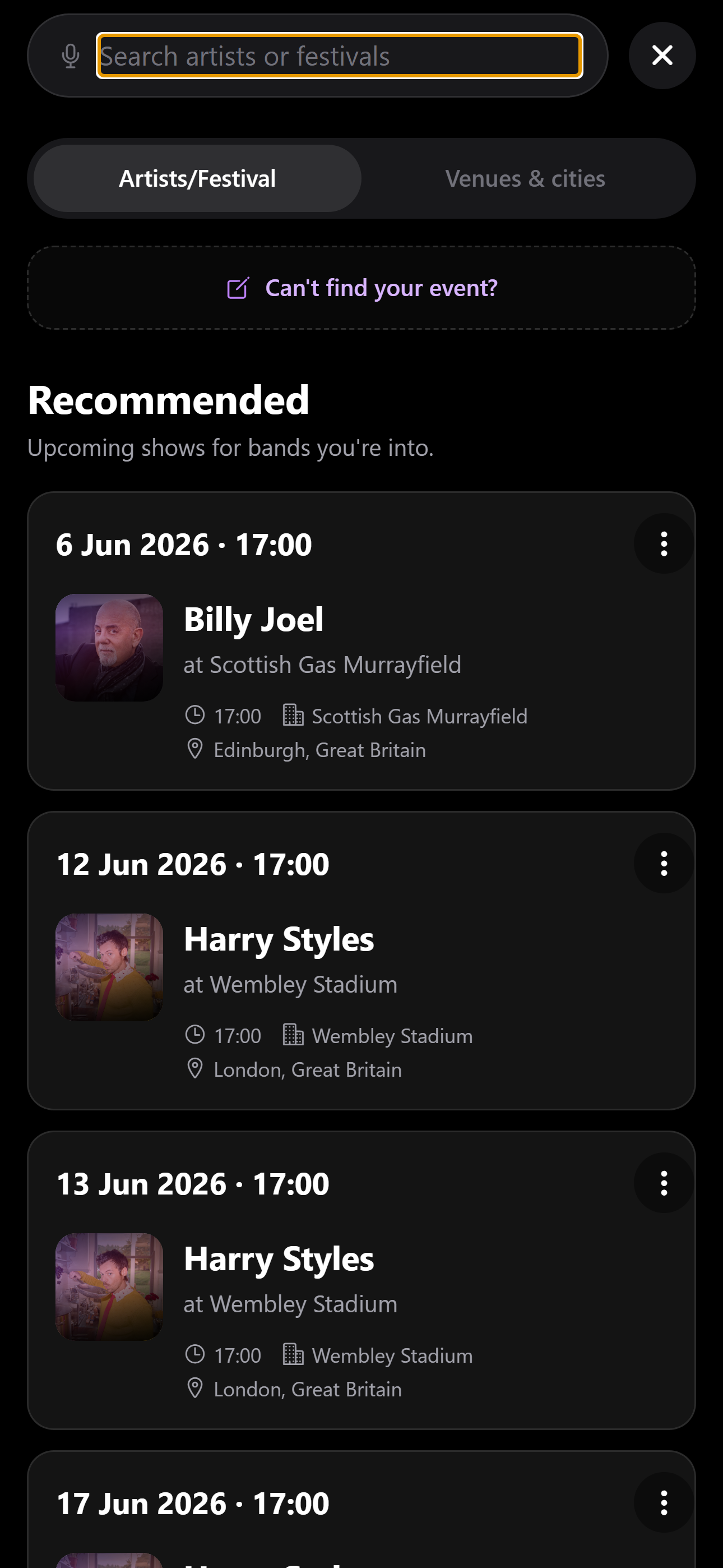
Radar Find — gig guide search

1. Search before you buy

Open Find and search by artist or venue. Save listings to your diary as soon as you are interested — even before tickets are purchased — so dates do not vanish into chat threads.

2. Log within 24 hours

After the show, add a rating, highlight song, crew tags, and Setlist.fm setlist while memory is fresh. That is how a gig guide becomes a diary.

3. Review monthly

Skim your timeline once a month. Fill gaps, confirm upcoming shows, and check taste match with friends planning the next night out.

FAQ

Common questions

What should a gig guide app include?
Discovery plus personal history: search listings, save upcoming shows, and log past gigs with friends and setlists.

Start your gig diary

Free on iPhone today. Android coming soon. Log your first ten gigs, then upgrade to Pro for unlimited history, the map, and Wrapped.

Download on App Store Google Play — coming soon

See all features →