Version 1 · Not live yet
1.0
Open a gig, and the app dresses for that night.
Development build. The apps in the stores do not look like this yet.
HomeDiaryFindFriendsProfile
- Release
- Soon
- In stores
- No
- Your gigs
- Kept
- Theme
- The night
These screens are the current development build of Radar. They are not the app you can download this morning. iOS and Android in the stores still use the design that is live today. Version 1 is this one, and it is not installable yet.
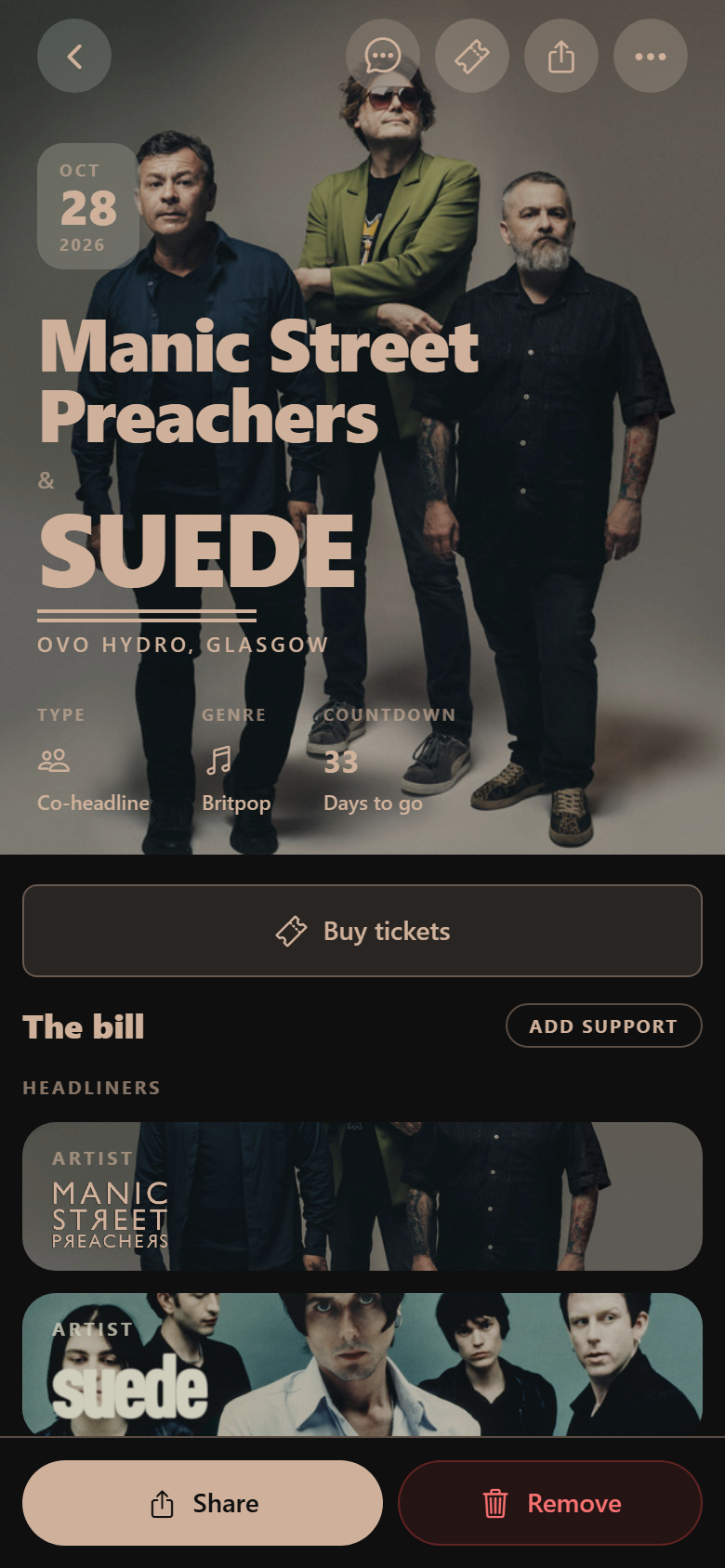
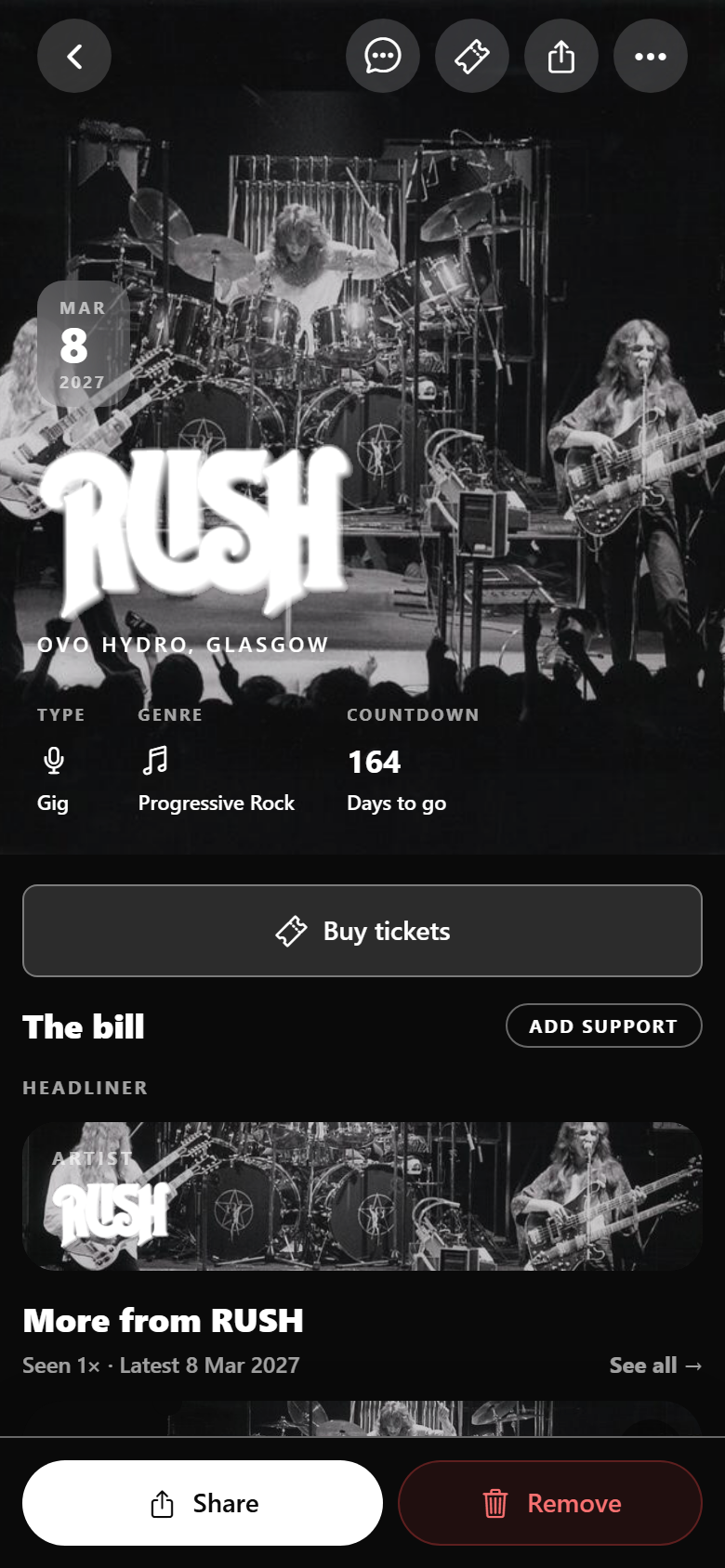
The change you will feel first is colour. Radar reads the photograph of the gig and paints the page from it: the background, the type, the buttons. A warm portrait comes back cream. A black-and-white live shot stays black. Open the next show and the theme changes, because it is a different night. The app is not one purple brand colour sitting on top of every concert. It is themed for the show in front of you.
The name on these shots is Jamie, a preview diary, so you can see the layout with real cards. Your home will say your name. The colours will come from your gigs.
Themed from the photograph
The page above is Manic Street Preachers & Suede. The photograph is warm, so the type and the Share button come back cream. This one is Rush. The live shot is black and white, so the page, the type, and the button stay black and white.
Same app. The theme is sampled from the artwork of that gig. It is not a theme you pick in settings, and it is not one brand colour laid over every concert.
Home is your year
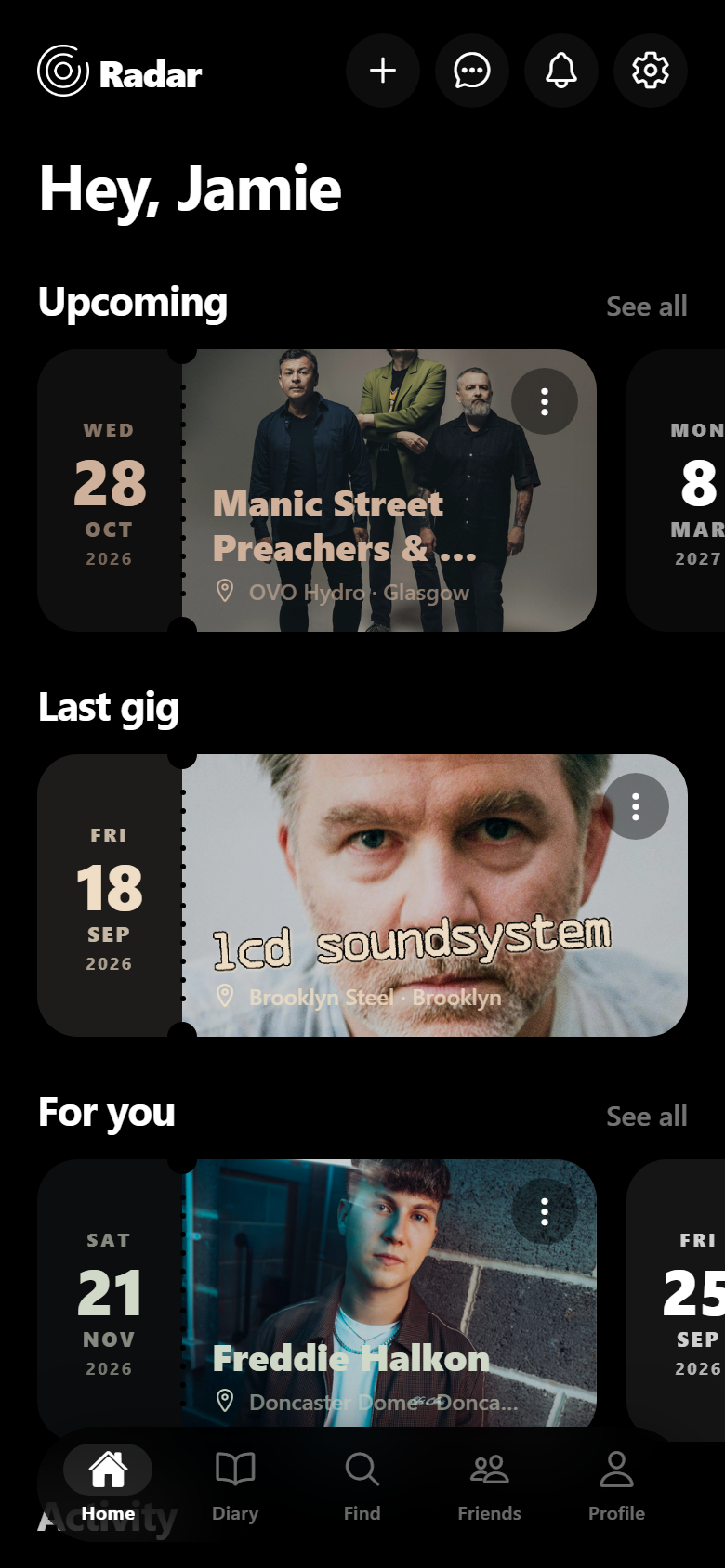
The new home opens on your own nights. Upcoming shows sit in a row. The last gig you logged is full width underneath. Recommendations stay below that, under the heading For you.
Scroll and the same screen becomes activity: a level, an anniversary of a show, a message from someone who was in the room. The home is the diary first and a catalogue second.
The diary, as tickets
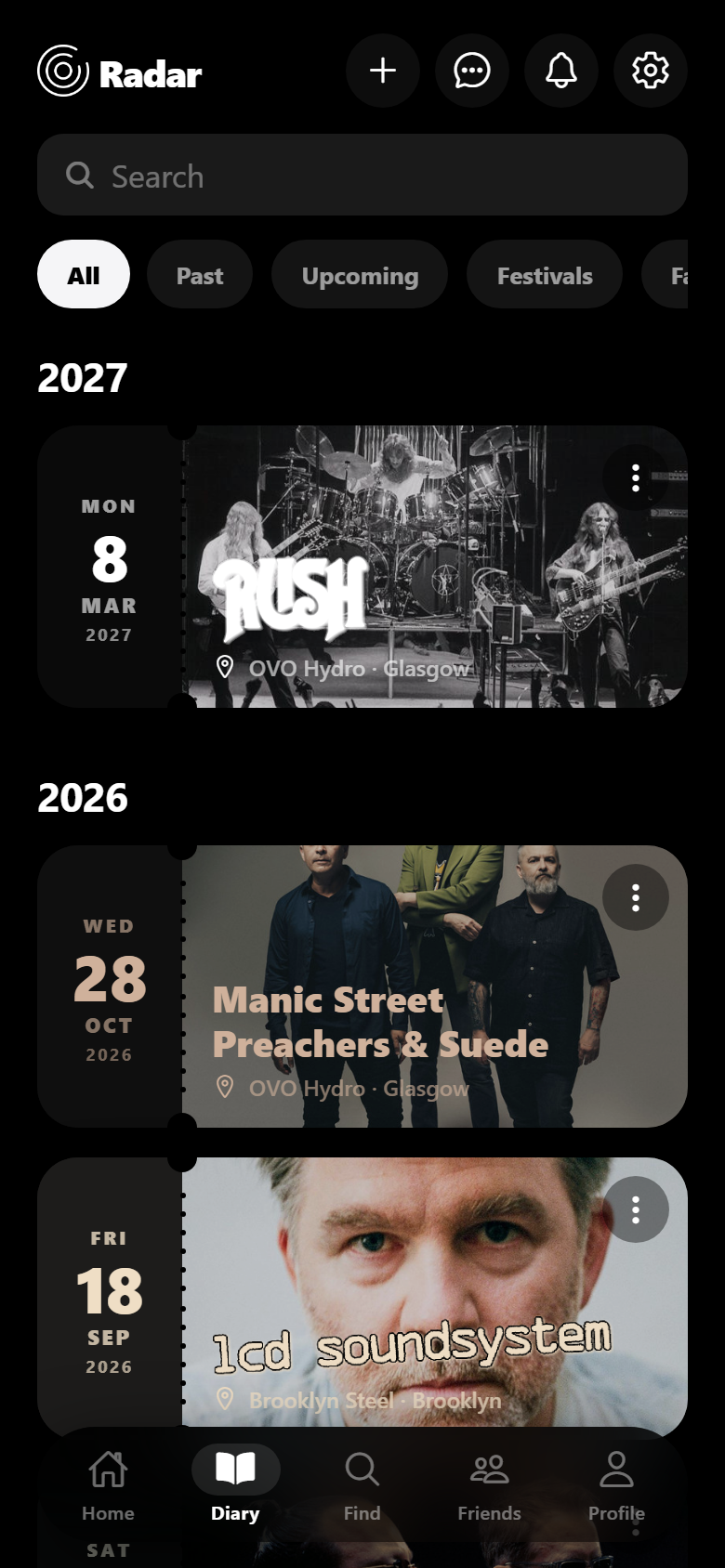
Diary is the whole history, grouped by year, with filters for past, upcoming, festivals, and favourites. Each night is a ticket: the date on the stub, the photograph, the room.
Search sits at the top. The nights you have already logged in the current app are the nights this list is for. Version 1 does not ask you to start again.
Find, still pointed at you
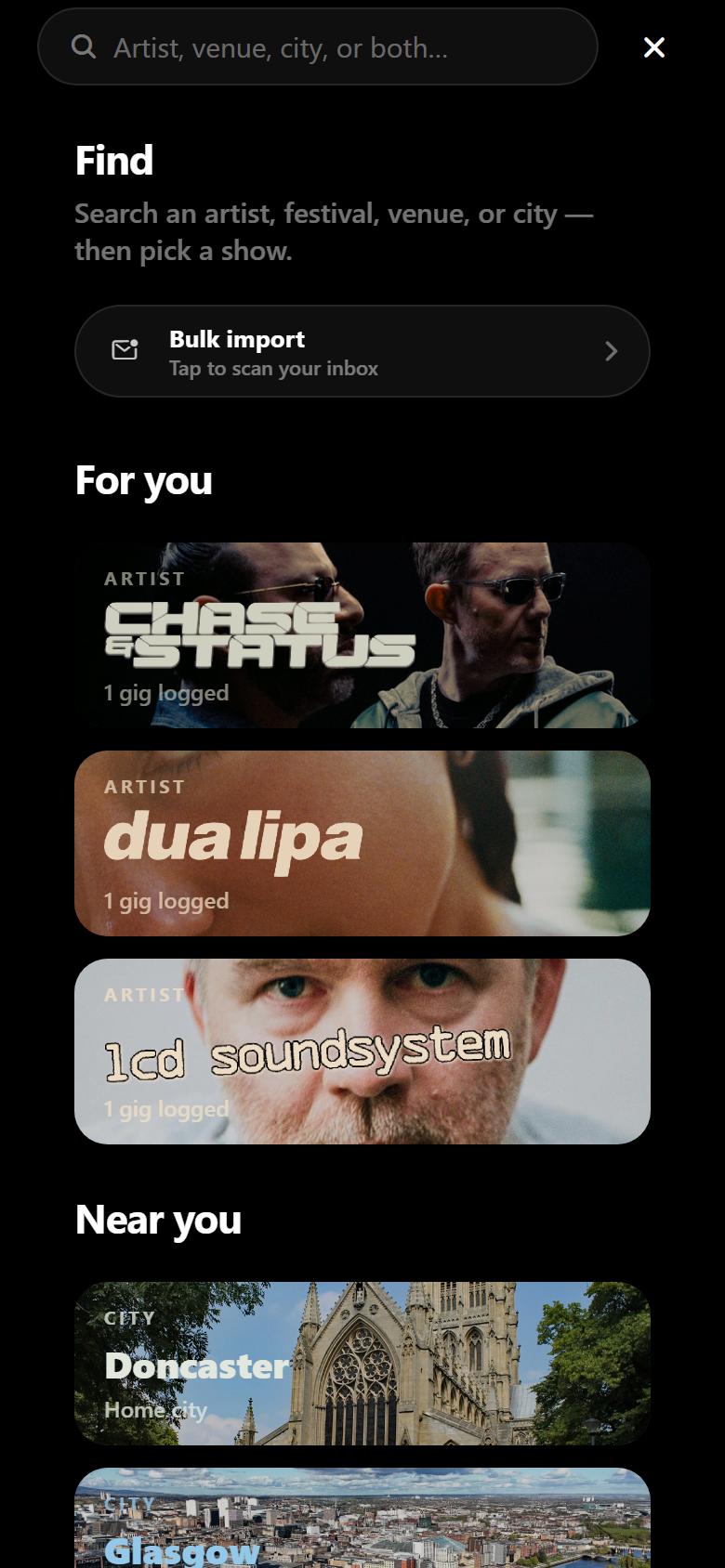
Find is one search for an artist, a festival, a venue, or a city, then the show. Under the search, For you leads with artists already in the diary. Near you leads with the home city.
Bulk import is on the same screen, for the inbox full of old tickets. The suggestions are built from the nights you logged, which is the same idea as the theme: the app is arranged around you.
Profile, with the cover you chose
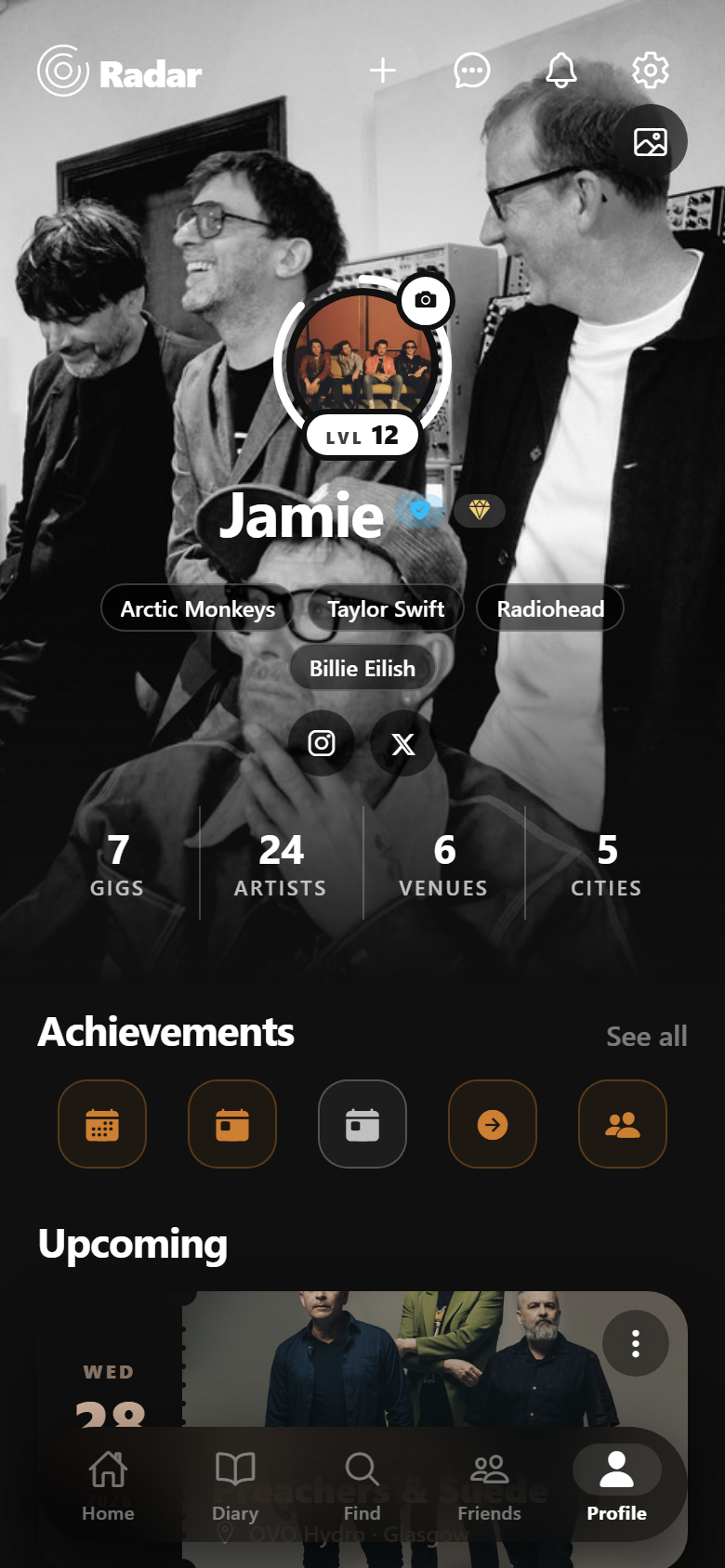
Profile leads with the photograph, the level, and the artists on the account, then the counts: gigs, artists, venues, cities. Achievements sit under that. Upcoming shows sit under those.
It is the public face of the same diary. Friends can see the shape of the year without you screenshotting a notes app.
Friends who were at the same shows
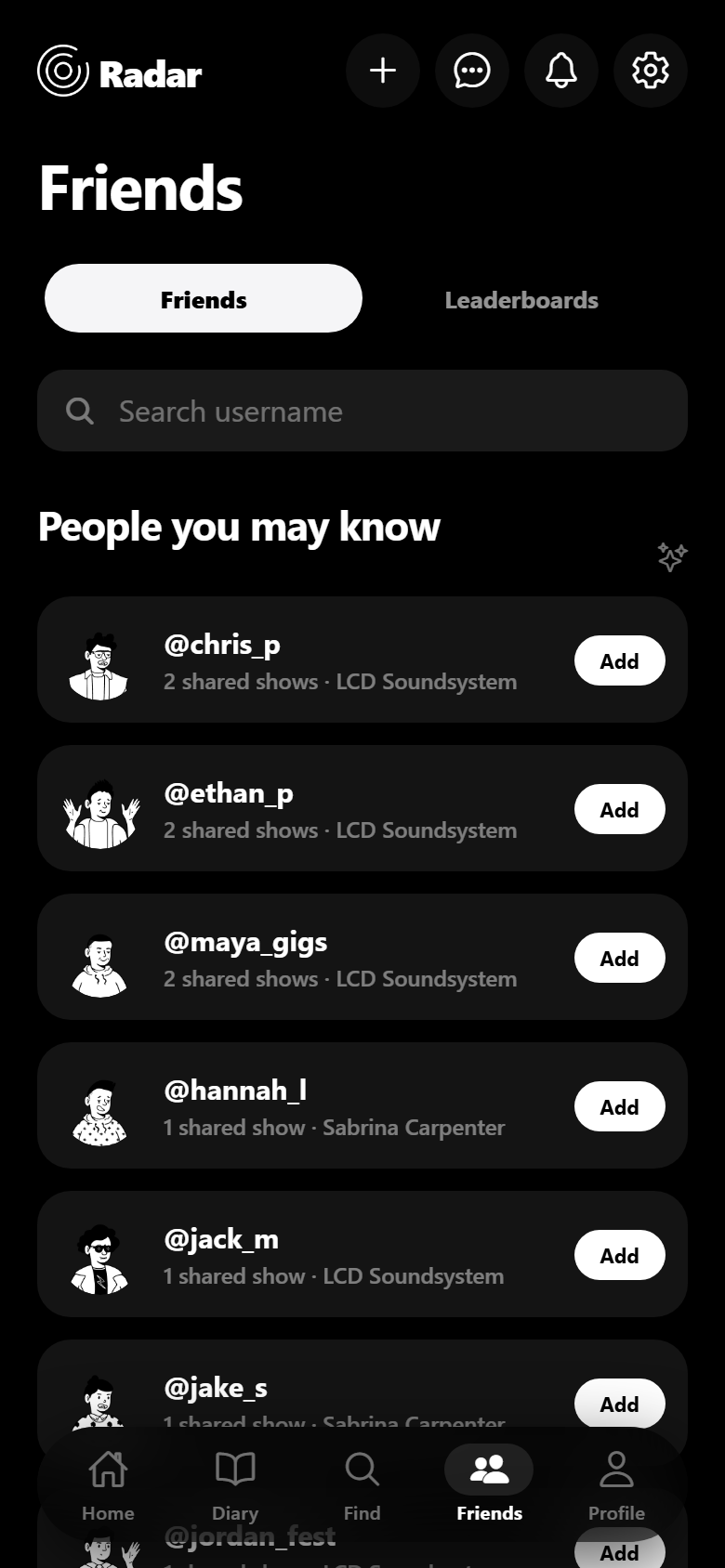
Friends opens on people who logged the same shows, with the shared gig named on the row. Leaderboards are the other tab on that screen.
The point of the list is the night in common, not a follow count. Add someone because you were both at LCD Soundsystem, not because an algorithm guessed a genre.
The point
Not a new app.
Same account. Same nights. A homepage, a diary, Find, friends, and a profile that take their colour from the gig you opened. If you wait for the stores, keep logging in the app you have. That archive is what 1.0 opens onto.
Why this is the version we are calling 1
The live Radar already remembers the gig: artist, venue, city, date, who you went with. It finds listings. It holds a rating and a memory on the night. The interface around that diary was one look for every show.
1.0 lets the night take over the screen. Home leads with upcoming and the last gig. Diary is the history as tickets. Find and friends are arranged around shows you actually logged. And when you open a gig, the page, the type, and the buttons are sampled from that photograph.
We are not shipping that build today. Use the app that is in the stores. Log the nights that matter. When 1.0 is installable, this page will say so.
Version 1 is the same diary, dressed for each night in it. It is not live yet. The gigs you log now are the ones it will theme.